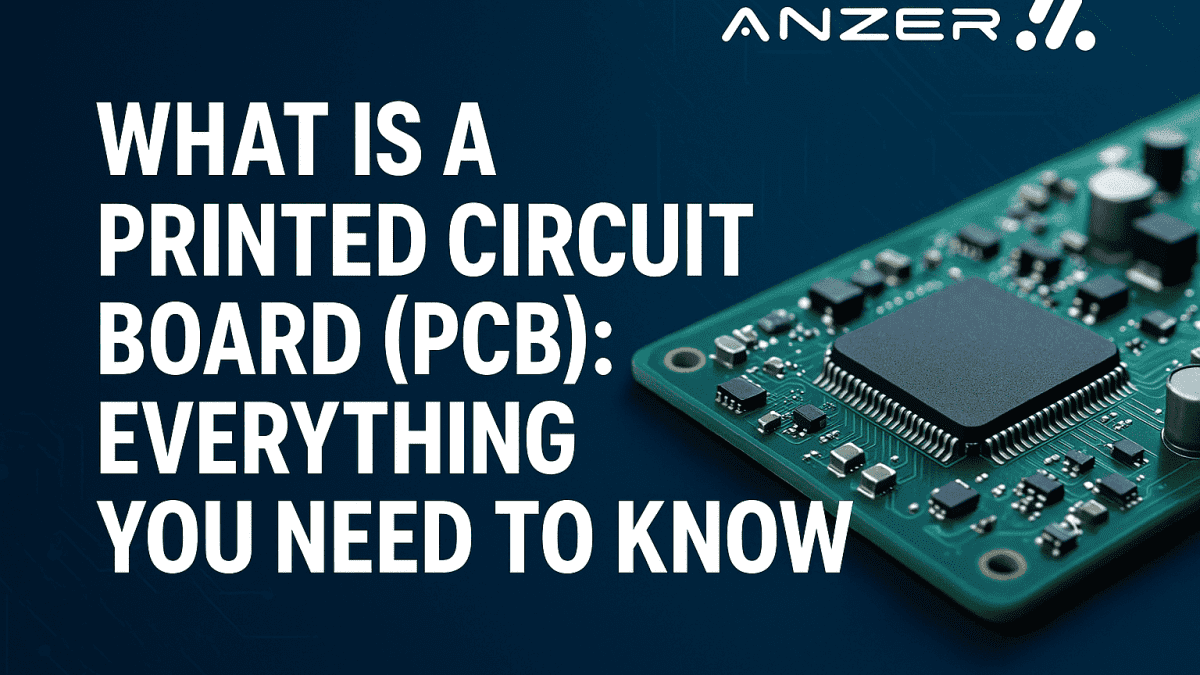
What is a Printed Circuit Board (PCB): Everything You Need to Know
Without it, your smartphone wouldn’t buzz, your washing machine wouldn’t spin, and your car’s sensors wouldn’t know when to hit the brakes. In short, PCBs are the silent workhorses powering our digital lives.
Ever cracked open an old TV remote or computer and found a mysterious green board with squiggly lines and tiny components? That unassuming sheet is a Printed Circuit Board (PCB) — the brainstem of modern electronics.
Whether you’re a curious learner, an aspiring electronics engineer, or a business exploring hardware development, understanding what a PCB is can give you an insider’s edge. In this guide, you’ll discover everything you need to know about printed circuit boards — from how they’re designed and used, to their different types, components, and the real benefits of PCB assembly.
By the end of this article, you’ll not only grasp the basics but also be equipped with actionable knowledge to apply, whether in your next DIY project or professional endeavor.
Table of Contents
What is a Printed Circuit Board (PCB) & Why Does it Matter?
At its core, a Printed Circuit Board (PCB) is a flat board that mechanically supports and electrically connects electronic components using conductive pathways — typically made of copper — etched from laminated sheets of non-conductive substrates. It’s the foundation of most modern electronics, acting as both the wiring system and support structure.
Why Is It Called “Printed”?
The term “printed” originates from the photolithographic and etching techniques used to create conductive tracks, similar to how a photo is printed onto film. These tracks replace traditional wiring, enabling compact, reliable, and efficient electronic circuits.
How Does a PCB Work?
Imagine a city map: roads (represented by copper traces) connect neighborhoods (represented by components), enabling movement (represented by current flow). When power flows through a PCB, it follows specific paths to activate various functions, such as lighting an LED, reading sensor data, or running a microprocessor.
Key Functions of a PCB
- Electrical Connection: Allows components like resistors, capacitors, and microcontrollers to interact via copper traces.
- Mechanical Support: Holds and aligns all the parts firmly.
- Signal Integrity: Ensures reliable communication between components without interference.
- Heat Management: Multi-layer PCBs can dissipate heat and handle high-power applications.
Real-World Analogy
Think of a PCB like a highway interchange for electronics. Without those designated routes (traces), traffic (electrons) would jam or crash into other cars (components). The PCB keeps everything flowing smoothly, securely, and predictably.
Where You’ll Find PCBs
You’ve likely used dozens of PCBs today without realizing it. They’re inside:
- Smartphones and laptops
- Washing machines and refrigerators
- Medical devices like ECG monitors
- Automotive systems (from airbags to infotainment)
- Industrial machinery and robotics
In consumer tech, aerospace, or renewable energy systems, PCBs are everywhere.
Why PCBs Are Critical in Modern Technology?
Without PCBs, electronics would be bulky, error-prone, and inconsistent. They enable mass production, miniaturization, and longevity, all critical demands in today’s tech-driven economy.
As devices get smarter and smaller, the demand for high-performance PCBs is only growing. For hardware engineers, understanding PCB design is now as fundamental as knowing how to code.
Misconception: PCBs Are Just “Green Boards”
That’s only partly true. While many are green due to the solder mask color, PCBs come in blue, black, red, and even transparent versions. More importantly, the color doesn’t define the function; the internal structure and layout do.
What are the Processes of PCB Design?
Designing a Printed Circuit Board (PCB) is much more than drawing lines between components. It’s a detailed, iterative engineering process that balances functionality, manufacturability, and cost, and a single oversight can lead to signal failures, overheating, or total malfunction.
Whether you’re creating a simple LED circuit or a multi-layer board for a drone controller, understanding the PCB design process is essential for success.
Step-by-Step Breakdown of the PCB Design Process
1. Requirement Analysis & Conceptualization
Before touching design software, start with a clear objective:
- What will the PCB do?
- What components are required?
- What are the power and voltage specifications?
- What size constraints exist?
At this stage, engineers may consult datasheets, component libraries, and even run simulations to assess feasibility.
This is the electronic blueprint, a symbolic diagram that shows how components are electrically connected.
Tools like Altium Designer, Eagle, KiCad, and OrCAD are commonly used. The schematic includes:
- Microcontrollers
- Resistors, capacitors, and inductors
- Power supplies
- Input/output devices
This stage ensures the logic is sound before layout begins.
3. Component Selection & Footprint Mapping
Next, designers assign footprints, physical dimensions, and pin arrangements to each component. Accurate footprints are vital to ensure that parts fit correctly on the final board.
Key considerations here:
- Surface-mount vs. through-hole packages
- Pin spacing and orientation
- Heat dissipation needs
Now, the physical design begins. In the PCB layout editor:
- Components are arranged according to space, signal flow, and cooling needs.
- Copper traces are routed between pins to establish connections.
- Ground planes and power planes are added for noise reduction and stability.
- Vias are used to connect different board layers.
This stage is both technical and artistic, optimizing for both electrical performance and compactness.
Before production, the layout is run through a Design Rule Check, which automatically flags:
- Overlapping traces
- Too-narrow spacing
- Incorrect pad sizes
- Violations of manufacturing constraints
Skipping this step can mean costly revisions later.
6. Signal Integrity & Thermal Analysis (Advanced Boards)
For high-speed or high-power boards, simulation tools are used to test:
- Signal integrity: to avoid data corruption at high frequencies
- Thermal performance: to prevent hotspots or overheating
This is critical in applications like aerospace, automotive, and industrial control.
Gerber files are the universal format sent to PCB manufacturers. They contain all the necessary data to fabricate the board:
- Copper layers
- Drill holes
- Solder mask
- Silkscreen (component labels)
Without accurate Gerber files, manufacturing errors are almost guaranteed.
8. Prototype Manufacturing & Testing
Before full-scale production, a prototype is made and tested for:
- Functional validation
- Fit and alignment
- Electrical continuity
- Stress and temperature resilience
Engineers often tweak the layout and repeat until the design is bulletproof.
Once the design is verified, the board is sent for full-scale production and assembly, where components are soldered, inspected, and tested under quality standards like IPC-A-600 or ISO 9001.
Common Mistakes in PCB Design (and How to Avoid Them)
- Overcrowding components: Leaves no room for traces or airflow.
- Ignoring EMI (Electromagnetic Interference) leads to noise issues.
- Underestimating trace widths: Causes overheating.
- Incorrect grounding strategy: Results in unstable performance.
Pro Tip: Always design with manufacturing in mind (DFM). What works in software doesn’t always work on a real board.
From Idea to Reality
The PCB design process takes an idea scribbled on paper and turns it into a manufacturable, functional product. Mastering this workflow means faster prototypes, lower costs, and fewer painful revisions.
Uses of Printed Circuit Boards (PCBs)
From powering your morning alarm clock to regulating life-saving hospital equipment, Printed Circuit Boards form the backbone of modern technology. Their compact size, reliability, and customizability make them indispensable across countless sectors.
Let’s break down the core uses of PCBs and how they shape the devices we depend on daily.
You’ve likely interacted with dozens of PCBs today without even realizing it.
Common Devices with PCBs:
- Smartphones
- Laptops and desktops
- Televisions and remote controls
- Smartwatches and fitness trackers
- Cameras and gaming consoles
Why PCBs?
Compact, multi-layer PCBs allow for sleek designs and powerful functionality, enabling devices to be smaller, faster, and smarter.
Today’s vehicles are practically computers on wheels. With over 100 electronic control units (ECUs) in some modern cars, PCBs are vital for both safety and entertainment.
PCB Uses in Automobiles:
- Engine control systems
- Airbag deployment mechanisms
- GPS and infotainment systems
- Electric vehicle (EV) battery management
- Advanced driver-assistance systems (ADAS)
Example: Tesla’s Model 3 contains over 80 specialized PCBs controlling everything from navigation to autopilot features.
3. Industrial and Manufacturing Equipment
In factories and heavy industry, ruggedized PCBs help automate, monitor, and control complex processes.
Applications:
- Robotics and motion control systems
- Motor drivers and power converters
- IoT-enabled machinery
- Pressure, humidity, and temperature sensors
- Industrial lighting systems
Why it matters: Industrial-grade PCBs are designed to withstand high temperatures, vibrations, and electrical noise, critical for long-term durability.
Accuracy, stability, and miniaturization are non-negotiables in medical electronics, and PCBs deliver on all fronts.
Key Applications:
- ECG and heart rate monitors
- MRI and imaging machines
- Insulin pumps and infusion devices
- Digital thermometers
- Implantable devices like pacemakers
Real-World Fact: The global market for medical PCBs is projected to grow due to increasing demand for remote patient monitoring and portable diagnostics. Source: MarketsandMarkets Medical Electronics Report
When failure is not an option, PCBs in this sector are held to the highest design and testing standards.
Uses Include:
- Navigation and radar systems
- Communication equipment
- Flight instrumentation
- Satellites and space probes
- Missile guidance systems
Important Note: Aerospace PCBs must meet MIL-PRF-31032 or AS9100 standards for reliability under extreme conditions like radiation, G-forces, and vacuum pressure.
Global connectivity depends on millions of PCBs inside routers, servers, antennas, and data centers.
Key Applications:
- Modems and routers
- Satellite and cellular transmission equipment
- 5G base stations
- Fiber optic systems
Emerging Trend: The rollout of 5G and IoT is driving demand for high-frequency PCBs that can handle massive data transfer without interference.
As the world moves toward greener technologies, PCBs are at the heart of solar power, wind energy, and battery storage systems.
Use Cases:
- Solar panel monitoring systems
- Wind turbine controllers
- Inverters and converters
- Smart grid electronics
- Electric vehicle charging stations
Why it’s critical: PCBs in renewable applications must be energy-efficient, heat-resistant, and durable enough for harsh outdoor environments.
8. Home Appliances and Smart Devices
From your smart refrigerator to your robot vacuum, PCBs bring intelligence to everyday life.
Appliance Examples:
- Washing machines
- Air conditioners
- Microwave ovens
- Dishwashers
- Smart lighting and thermostats
As home automation continues to rise, Internet of Things (IoT) PCBs are being designed to enable voice control, wireless updates, and energy-saving features.
Summary: Why PCBs Are So Widely Used
PCBs are chosen across industries because they offer:
- Space Efficiency – Compact layouts for tight devices
- Scalability – Easy to mass-produce and test
- Customization – Can be tailored for nearly any function
- Reliability – Long life cycles under demanding conditions
From healthcare to space exploration, PCBs aren’t just used, they’re relied on.
Types of Printed Circuit Boards (PCBs)
When people say “PCB,” they often imagine that classic green board found in gadgets. But in reality, PCBs come in many types, each engineered for specific electrical, mechanical, and thermal demands.
From simple single-layer boards used in toys to complex multilayer PCBs powering aircraft systems, the type of PCB you choose can make or break a product’s performance.
Let’s break down the main types of printed circuit boards, their structures, and their ideal use cases.
Also known as single-layer PCBs, these are the most basic form.
- One conductive copper layer
- Components mounted on one side
- Simple routing and connections
- Calculators
- LED lighting systems
- Power supplies
- Consumer electronics
Why use it?
They’re cheap, easy to produce, and perfect for low-density circuits.
These boards have copper layers on both sides, allowing for more complex circuits.
- Components can be mounted on both sides
- Vias (small holes) connect the top and bottom layers.
- Better routing options compared to single-sided boards
- HVAC systems
- Industrial controls
- Phone systems
- Amplifiers
Advantage: Ideal for moderate-complexity designs that need more flexibility than single-layer boards can offer.
These are the powerhouses of modern electronics, made up of three or more layers of copper separated by insulating materials.
- Can range from 4 to 40+ layers
- Centralized ground and power planes
- Excellent signal integrity and reduced electromagnetic interference (EMI)
- Computers and servers
- High-frequency RF applications
- Aerospace instrumentation
- Smartphones and tablets
Real Example: An iPhone motherboard typically has 8–12 layers of high-density interconnect PCBs.
Rigid boards are made from solid, inflexible substrates like FR4 (fiberglass).
- Maintains shape under mechanical stress
- Long-lasting and cost-effective
- Standard for most applications
- Laptops
- TV sets
- Control systems
- Networking hardware
Benefit: Most widely used and easy to fabricate in mass production.
These use flexible plastic substrates such as polyimide to allow the board to bend or twist.
- Can be folded or rolled without damage
- Lightweight and compact
- Reduces connector weight and space
- Wearable electronics
- Cameras
- Medical implants
- Foldable phones
Important Note: Flex PCBs are more expensive to produce and require specialized handling during manufacturing.
As the name suggests, these combine rigid and flexible sections into a single board.
- Seamless integration of flexible interconnects within rigid boards.
- Enhanced reliability by reducing solder joints and connectors
- Ideal for 3D-shaped electronics
- Aerospace systems
- Military-grade communications
- Pacemakers
- Consumer electronics with folding screens
Why choose it?
Rugged durability + design flexibility. They’re perfect where space and reliability are non-negotiable.
Designed for applications that require rapid signal transmission, typically above 500 MHz.
- Special materials like PTFE (Teflon)
- Controlled impedance
- Low signal loss and dielectric constant
- Radar systems
- Satellite communications
- RF amplifiers
- 5G and microwave technologies
Challenge: Material selection and signal integrity often become critical, requiring simulation and testing.
8. Aluminum-Backed PCBs (Metal Core PCBs)
These boards use a metal core (usually aluminum) for thermal dissipation.
- Excellent heat dissipation
- High mechanical strength
- Lightweight compared to copper cores
- LED lighting
- Power converters
- Automotive systems
Did You Know?
Metal-core PCBs can reduce the need for external heat sinks, which saves space and cost in power electronics.
Choosing the Right Type of PCB
When selecting the type of PCB for your application, consider:
- Complexity of the circuit
- Thermal requirements
- Mechanical constraints (flexibility, rigidity)
- Cost and scalability
- Signal speed and frequency
Comparison Snapshot
| PCB Type | Layers | Flexibility | Cost | Common Use Cases |
| Single-Sided | 1 | Rigid | Low | LED lights, toys |
| Double-Sided | 2 | Rigid | Moderate | Amplifiers, power supplies |
| Multilayer | 4–40+ | Rigid | Higher | Smartphones, servers, and medical devices |
| Flexible | 1–4 | Flexible | Higher | Wearables, medical implants |
| Rigid-Flex | 4–12 | Mixed | Highest | Aerospace, foldable devices |
| High-Frequency | Any | Rigid | High | 5G, radar, RF applications |
| Metal Core (Alum) | 1–4 | Rigid | Moderate | LED systems, automotive power modules |
What are the Components of a PCB?
A Printed Circuit Board (PCB) is more than just copper and fiberglass. It’s a carefully engineered ecosystem of components that perform electrical tasks ranging from power regulation and signal transmission to data processing and storage.
Whether you’re troubleshooting a circuit, designing your board, or just curious about how electronics work, understanding these core PCB components is key.
Let’s explore them by category.
Resistors control the flow of electric current by reducing voltage and limiting amperage, acting like “valves” in a water pipe.
- Through-hole resistors (axial leads)
- Surface-mount resistors (SMD)
- Voltage dividers
- Current limiters for LEDs
- Pull-up and pull-down resistors in microcontrollers
Function:
Capacitors store and release energy in the form of an electric field. They’re essential for smoothing out voltage and filtering noise in power supplies and signal lines.
- Ceramic (small, general-purpose)
- Electrolytic (higher capacitance, polarized)
- Tantalum and film capacitors
- Power filtering
- Timing circuits
- Signal coupling
Pro Tip: Capacitors are often placed near microcontrollers and chips to act as decoupling capacitors, reducing noise and ensuring stable voltage.
Inductors resist changes in current and store energy in magnetic fields, making them ideal for filtering and energy storage in switching circuits.
- Power supply filters
- RF tuning
- Energy storage in buck/boost converters
Example: You’ll find inductors in power-intensive systems like motor drivers and phone chargers.
- Purpose: Allow current to flow in one direction only.
- Used for: Rectification, reverse voltage protection.
- Purpose: Emit light when current passes through.
- Common Uses: Status indicators, displays, illumination
Note: LEDs must be paired with current-limiting resistors to prevent burnout.
Transistors are like digital switches or amplifiers.
- Bipolar Junction Transistors (BJT)
- Field Effect Transistors (FET)
- Signal amplification
- Power switching
- Digital logic circuits
Real-World Impact: Billions of transistors sit inside your CPU, enabling complex processing in nanoseconds.
ICs are miniature systems with multiple components (transistors, capacitors, etc.) etched onto a single chip.
- Microcontrollers (like Arduino or STM32)
- Operational amplifiers (Op-Amps)
- Memory chips
- Logic gates (AND, OR, NAND)
- Data processing
- Computation
- Signal modulation/demodulation
Analogy: ICs are like brains or “mini-computers” embedded in your circuit.
Connectors allow the PCB to interface with external components or other boards.
- USB, HDMI, and RJ45 ports
- Pin headers
- Battery terminals
- Board-to-board connectors
- Power input
- Data transfer
- External I/O connections
Design Tip: Always position connectors where they’re accessible after enclosure assembly.
- Allow manual control (e.g., power buttons)
- Electrically controlled switches that isolate circuits
- Used in automation, high-power switching
Provide a precise clock signal to synchronize operations in digital systems (e.g., CPUs, microcontrollers).
- 16 MHz for Arduino boards
- 32.768 kHz for real-time clocks (RTC)
10. Heat Sinks and Cooling Components
High-power components like voltage regulators and transistors generate heat. Heat sinks, copper pours, or cooling fans are used to dissipate this heat.
11. PCB Substrate, Traces & Pads (The Non-Component “Components”)
These aren’t standalone parts but are vital to PCB function:
- Substrate: The non-conductive base layer (typically FR4 fiberglass)
- Copper Traces: Conductive paths connecting components
- Pads: Exposed copper where components are soldered
SMD vs Through-Hole Components
| Type | Appearance | Used For |
| Surface Mount | Tiny, no visible leads | Compact devices, automated assembly |
| Through-Hole | Leads go through the board | Prototyping, high-stress environments |
Component Placement Guidelines
A few golden rules for layout:
- Place ICs centrally for easier routing
- Group components by function
- Keep analog and digital signals separate
- Place decoupling capacitors close to the power pins
What are the Benefits of Assembling the PCB?
A bare PCB is just a canvas. It’s only when components are mounted and connected that it becomes a functioning piece of technology. This transformation is known as PCB assembly (PCBA), and it’s where the real magic happens.
Whether you’re designing for a startup prototype or a high-volume industrial solution, understanding the benefits of assembling the PCB helps you unlock better performance, reliability, and scalability from your electronics.
What is PCB Assembly (PCBA)?
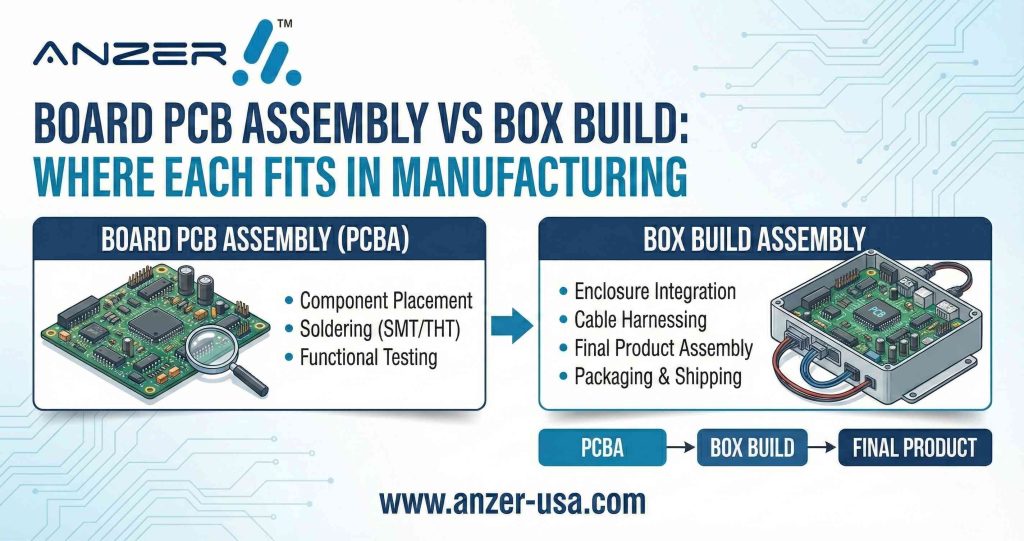
PCB assembly is the process of soldering or placing electronic components onto a printed circuit board to form a working assembly. It involves:
- Placing components (manual or automated)
- Soldering (wave, reflow, or hand soldering)
- Inspection and quality testing
There are two main assembly methods:
- Surface Mount Technology (SMT) – Compact, automated, ideal for high-volume
- Through-Hole Technology (THT) – Robust, used for power or stress-bearing parts
1. Functionality Made Real
A designed PCB is like a blueprint. The moment you assemble it, you give it life.
Without assembly, a PCB is just theory. Assembly is where that theory becomes tangible and testable.
It’s at this stage that:
- Circuits begin to process data or signals
- Power flows and voltage regulations occur.
- Outputs (displays, motors, LEDs) activate.
2. Improved Reliability and Performance
Professional PCB assembly ensures:
- Precise component placement
- Strong solder joints
- Minimal electrical noise or short circuits
This consistency results in:
- Long product lifespan
- Fewer field failures
- Stable performance under varying environmental conditions
Example: In medical devices, PCBA quality can be the difference between life and death. That’s why the IPC-A-610 standard is widely followed during assembly.
3. Scalability for Mass Production
Once a prototype is verified, PCB assembly allows for efficient scaling to high volumes using automated pick-and-place machines and reflow ovens.
Advantages for Businesses:
- Fast turnaround time
- Uniformity across units
- Lower per-unit cost at higher volumes
This is a major benefit for OEMs (Original Equipment Manufacturers) launching consumer products, industrial equipment, or smart devices.
4. Compact Design and Higher Component Density
Thanks to modern SMT assembly, even highly complex circuits can be fit into palm-sized boards.
This results in:
- Smaller, lighter devices (smartwatches, drones, wearables)
- Multi-functional products in compact enclosures
- More space for batteries or cooling systems
Pro Insight: SMT-assembled PCBs can fit components as small as 0201 packages — barely visible to the naked eye.
5. Cost-Effectiveness in the Long Run
While setting up for PCB assembly involves upfront cost, it reduces long-term expenses:
- Fewer manual errors mean fewer repairs
- Automated testing detects issues early.
- Bulk assembly reduces manufacturing costs per unit.
If you’re prototyping, you can even order assembled PCBs directly from suppliers like JLCPCB, PCBWay, or MacroFab to accelerate development and reduce rework.
6. Compatibility with Testing and Inspection
Assembled PCBs can be tested using:
- Automated Optical Inspection (AOI)
- X-ray Inspection (for solder joint integrity)
- In-Circuit Testing (ICT)
- Functional Testing (power-on tests)
This allows manufacturers to validate performance before boards are shipped or integrated into final products, minimizing warranty claims or product recalls.
7. Faster Time-to-Market
In the startup and consumer electronics world, speed can be everything.
A streamlined PCB assembly process allows:
- Faster iterations during prototyping
- Rapid deployment of new features
- Competitive advantage in launching products
Real-World Example: Startups developing IoT devices often use rapid PCB assembly to push updates and pivot faster based on user feedback, something that’s nearly impossible with fully hand-built circuits.
8. Customization and Modularity
PCB assembly allows you to:
- Choose specific components per application
- Build modular boards that can plug and play with others.
- Easily replace or update sections of a circuit.
This flexibility is ideal for:
- Prototyping and R&D
- Industrial automation
- Military or aerospace modular systems
9. Environmental & Safety Compliance
Professionally assembled PCBs often follow standards like:
- RoHS (Restriction of Hazardous Substances) for environmental safety
- UL Certification for fire and safety risks
- ISO 13485 for medical-grade assemblies
These compliance marks are vital for market access, especially in Europe and North America.
10. Real-World Case: Why PCB Assembly Matters
A client once approached us to troubleshoot a device that would randomly fail during power surges. The root cause? Hand-soldered joints were slightly misaligned, leading to micro-arcing under stress. After switching to automated PCB assembly with proper thermal profiling, the failure rate dropped to zero, and they saved thousands in returns.
In Summary: Why PCB Assembly is Essential
- Converts design into a functional product.
- Ensures electrical performance and longevity
- Supports mass production and cost efficiency
- Enables compact, advanced electronics
- Meets global quality and safety standards
Conclusion: Printed Circuit Boards, The Hidden Engine Behind Modern Tech
You might never see a Printed Circuit Board (PCB) in action, but you’d certainly notice if it weren’t there. From the phone in your pocket to the car on the road and the equipment in your hospital, PCBs are the invisible engine powering modern life.
Here’s a quick recap of what we explored:
- A Printed Circuit Board (PCB) is a foundational platform that connects and supports electronic components.
- The PCB design process involves precise planning, schematic capture, layout, prototyping, and testing, all critical to functionality.
- PCBs are everywhere: from everyday electronics and automotive systems to aerospace, telecom, and renewable energy.
- There are multiple types of PC, from simple single-sided boards to complex multilayer, flexible, and high-frequency variants.
- A well-functioning PCB includes essential components like resistors, capacitors, ICs, connectors, and more, all working together to control signals and power.
- PCB assembly (PCBA) transforms a raw board into a functional system, offering scalability, reliability, and cost efficiency across industries.
Why It Matters for You
Whether you’re a product developer, student, or business exploring electronics manufacturing, a deep understanding of Printed Circuit Boards helps you:
- Build better, more reliable products
- Optimize for cost, scale, and performance.
- Communicate effectively with engineers and manufacturers.
- Stay ahead in a tech-driven, precision-focused world.
PCB technology is no longer just a niche engineering topic; it’s the language of modern innovation.
Want to Learn More or Build Your PCB?
Are you looking to:
- Start a custom electronics project?
- Explore industrial-grade PCB solutions?
- Understand how PCB design impacts product development?
Drop your questions in the comments, share your experience, or connect with our team for insights into PCB prototyping, design, and assembly.